


myVEGAS Bingo - Bingo Games
4.59.62K Reviews
App Specs
- Version
- 3.8.17897
- Updated On
- License
- Free
- Downloads
- 1,000,000+
- Developer
- PLAYSTUDIOS US, LLC
- Categories
- Board
- Platform
- Android
Screenshots



 Analysis by AppCompare
I tend to enjoy bingo most when I can follow the calls without having to learn a complicated rule set, and myVEGAS Bingo - Bingo Games makes that familiar rhythm its starting point. It is a free board game from PLAYSTUDIOS US, LLC, with a Vegas-inspired presentation layered over the usual card-and-number routine. I found the basic idea easy to grasp, though the extra effects, rewards and social features mean it is not quite the quiet, plain bingo experience some players may want.
Readability and finding your way around
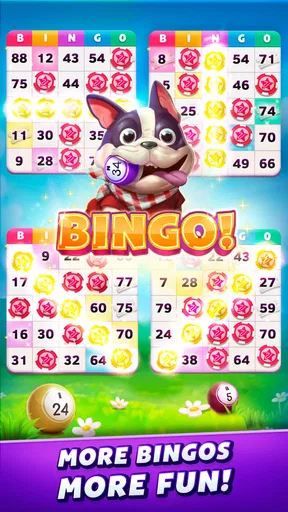
The game’s bright visual style gives it a lively personality, and the main play pattern is recognizable: watch the called numbers and mark matching spots on your cards. That straightforward loop is helpful if you are new to mobile bingo or returning after a long break. I did not have to spend much time figuring out the central task, which matters when a game is something you open for a short pause rather than a long study session.
Still, a polished, animated screen is not automatically an easy one for every player to read. Bingo asks you to shift attention between calls and several card spaces, so the real test is whether you can comfortably keep up on your own device. If small text or busy screens usually strain your eyes, try a short session first and see whether the number calls and card markings remain clear at your preferred viewing distance. I would not assume the decorative Vegas treatment is equally legible for everyone.
A Bingo Experience with a Twist
At first glance, myVEGAS Bingo might seem like your run-of-the-mill bingo app, but trust me, it’s got a few tricks up its sleeve. The app blends traditional bingo gameplay with some unique Vegas-style elements, making it feel like you’ve brought a slice of the casino right into your living room. It’s not just about matching numbers; it’s about strategy and luck, all wrapped up in a glitzy package.
Graphics and Gameplay
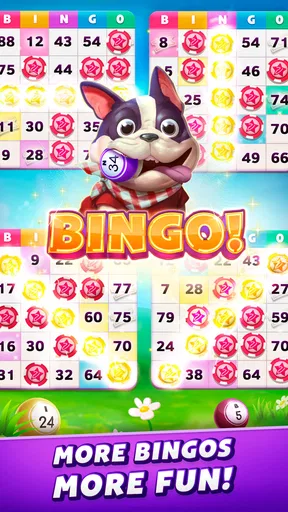
The first thing that caught my eye was the vibrant graphics. The design is sleek, with a touch of Vegas flair that really sets the mood. As someone who appreciates good app design, I found it visually appealing and easy to navigate. The animations are smooth, and the overall user interface is intuitive, so you won’t be fumbling around trying to figure out what to do next.
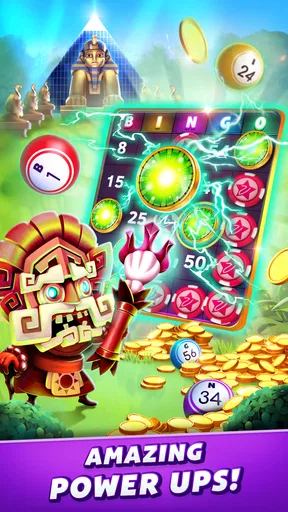
Gameplay-wise, it’s pretty straightforward. You get your bingo cards, and as the numbers are called, you tap them off your card. Simple, right? But here’s where the twist comes in: you can use power-ups to enhance your game, which adds an extra layer of excitement and strategy. You can also earn rewards and collectibles, which keeps things interesting as you strive to complete your collection.
Motor and sensory considerations
Marking numbers is a repeated tapping task, so comfort and pace matter. If you have limited dexterity, hand fatigue, or difficulty making precise touches, the quick back-and-forth between the calls and cards may be more demanding than ordinary turn-based board games. I’d start with a brief session rather than committing to a long run, and pay attention to whether the tap targets feel manageable on your phone. A larger screen may make the board easier to inspect, but it does not remove the need for repeated touches.
Worth Reading Before You Choose

EA SPORTS FC Mobile 26 Is a Bigger Football Game, but It Takes Time

Flipboard Shows What News Apps Must Do Beyond the Feed

Switching to Android Auto Means Rethinking Your Driving Routine

Google Calendar Makes a Crowded Week Easier to Manage

Ludo King Makes the Most of the Minutes Between Plans

Baby Panda World Brings Quick Play to Modern Phones, but Its Game Library Feels Busy
The sound and motion can add to the atmosphere, yet they may also compete with concentration. If audio is distracting in a shared room, or if animations make it harder to focus, consider playing somewhere calmer and keeping your attention on the card rather than trying to follow every effect. I would treat power-ups as optional decisions, not obligations: first get comfortable with the number-marking rhythm, then decide whether extra choices make the game more enjoyable or simply busier.
Social Interaction
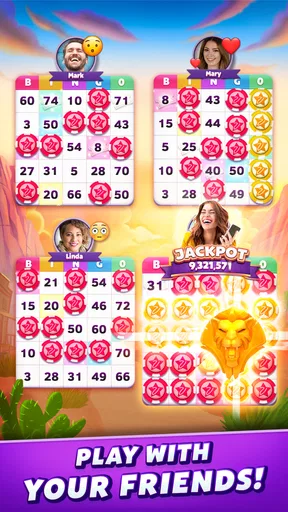
One of the standout features of myVEGAS Bingo is its social component. You can team up with friends or make new ones as you play. The chat feature is a great way to connect with other players, share tips, or just have a laugh. It’s like being in a bingo hall but with the comfort of home. Plus, you can join clubs and participate in events, which adds a sense of community to the experience.
That community angle changes the feel of the game: it can make a solo phone session feel more like a shared pastime. It is most appealing if you like casual conversation around a game, but less so if you prefer bingo to stay private and quiet. Chat is also a separate source of activity from the cards themselves, so you do not need to treat it as the main attraction. If you are playing during a break or while someone else is nearby, it may be more comfortable to focus on the game and engage socially only when you have the attention to spare.
Situational access: when it fits into a day
A realistic use for this kind of game is a quiet wait at home or a relaxed stretch of downtime when you can keep your phone in view. I would avoid starting a round when I need to listen closely to someone, move between tasks, or respond quickly to something else. Bingo calls and card marking reward sustained attention; splitting that attention can turn a relaxing session into a frustrating one. It is better suited to a deliberate pause than to a game you try to play while walking, commuting through a crowd, or handling another task.
For a more comfortable routine, I’d choose a place with steady lighting, set the phone where I can see the cards without holding it tensely, and begin with one short session. That gives me a chance to judge the pace and screen comfort before I settle in. If I am playing with friends, I would also decide whether I want the social side that day or simply want to follow the numbers. The same app can serve either mood, but trying to do both at once may make the screen feel more demanding.
Rewards, collections and the trade-off
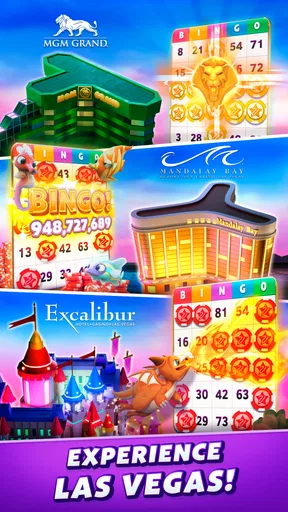
Here’s something I didn’t expect: the app offers real-world rewards! As you play, you earn loyalty points that can be redeemed for actual rewards at various locations, including restaurants and hotels in Las Vegas. It’s a neat way to get more out of your gaming time, especially if you’re planning a trip to Vegas. I mean, who wouldn’t want a dinner voucher or a show ticket just for playing bingo?
I’d treat those rewards as a bonus rather than a reason to play. Their practical value depends on whether the available options suit your plans and whether you are likely to use them; a reward tied to a Las Vegas visit is less compelling if you do not expect to be there. The collections offer a separate goal for players who enjoy filling out sets, but they can also make a simple bingo session feel like a longer progression chase. If you mainly want to pass a few minutes, enjoy the card game on its own and let the extras stay secondary.
Free to play, but watch those purchases
myVEGAS Bingo is free to download and play, which is always a plus in my book. However, like many free games, there are in-app purchases available. If you’re the kind of player who likes to progress faster or get extra goodies, you might be tempted to spend a little cash. Just be mindful of how much you’re spending; it’s easy to get carried away when you’re having fun.
Those purchases range from $0.99 to $119.99 per item, so the difference between a small optional buy and a substantial one is significant. I would decide on a personal spending limit before browsing purchase options, especially if collecting items or keeping up with play creates a sense of urgency. You can enjoy the basic appeal of matching calls without treating spending as part of the challenge. If you want a completely purchase-free experience, the presence of paid extras may be a reason to choose a simpler bingo app instead.
How it compares, and who will enjoy it
Compared with a stripped-down digital bingo card, this game puts more emphasis on presentation, power-ups, collectibles and community. That gives it more to explore than a basic number-calling app, but it also means more visual activity and more optional systems to keep track of. If you want a calm, no-frills way to mark numbers, a simpler bingo game may suit you better. If the idea of adding clubs, chat and collection goals to bingo sounds appealing, this version has more reasons to return between rounds.
I’d recommend it to players who like familiar board-game rules with a bit of progression and a social layer, especially those who enjoy the Vegas theme or may make use of the reward options. It is less suited to someone who wants every session to be quiet, uncluttered and purely about the cards, or to a player who finds rapid visual scanning and repeated tapping tiring. It is also a poor fit if you expect rewards to be universally useful: their appeal is personal and depends on what you would actually redeem.
Remaining barriers and practical expectations
The game is rated Teen, and that is worth considering when choosing something to play around younger family members. It is also a mobile game that asks for attention, so shared spaces can create ordinary distractions: conversation, background noise or interruptions may make it harder to follow calls. I would not assume that a social game is automatically a good group activity for every setting; the chat and card play both need attention, and some people may prefer to keep the screen experience private.
It runs on Android 7.0 or later, and its current version is 3.7.17824. The game has an average rating of 4.5 from around 54,000 ratings, with more than 9,000 written reviews and over one million installs. Those figures suggest that many players have tried it, but they cannot tell you whether its pace, screen presentation or purchase choices will suit your own needs. I would use a short trial session as the practical test rather than assuming popularity guarantees a comfortable fit.
Inclusive verdict
Overall, I found myVEGAS Bingo - Bingo Games to be a lively option for people who want more than a bare-bones bingo board. The familiar number matching makes it approachable, while power-ups, collections, clubs and chat offer extra ways to engage. Its strongest fit is someone who can comfortably track the calls and tap cards, enjoys a busy presentation, and sees rewards as an occasional extra rather than a promise.
My advice is to start with a short session, check whether the card and calls are comfortable to follow, and decide early how much attention you want to give the social and collection features. If those layers make bingo more fun for you, the game has plenty of personality. If your priority is minimal motion, very relaxed pacing, or a screen that asks little of your eyes and hands, a simpler alternative is likely the kinder choice. For the right player, though, it turns familiar bingo into a more social, reward-driven pastime without losing the basic pleasure of watching a card come together.
Pros
- Engaging visuals and vibrant graphics.
- Variety of bingo rooms and themes.
- Frequent updates with new content.
- Loyalty points redeemable for real rewards.
- Smooth and intuitive user interface.
Cons
- Requires a stable internet connection.
- In-app purchases can be pricey.
- Advertisements can be intrusive.
- Limited offline play options.
- Occasional connectivity issues.
FAQs for myVEGAS Bingo - Bingo Games
What is myVEGAS Bingo and how does it differ from other bingo games?
myVEGAS Bingo is a unique bingo game that combines traditional bingo gameplay with exciting casino elements. Unlike standard bingo apps, myVEGAS Bingo offers players the chance to earn real-world rewards from Las Vegas resorts, such as hotel stays and show tickets, by playing and winning in-game. This integration of real-life incentives makes it stand out from other bingo games.
Can I play myVEGAS Bingo offline?
No, myVEGAS Bingo requires an internet connection to play. This is because it features live multiplayer games where you can compete with players worldwide. Additionally, the app needs to connect to its servers to update your progress and rewards. Make sure you have a stable internet connection for the best experience.
Are there any in-app purchases in myVEGAS Bingo?
Yes, myVEGAS Bingo offers in-app purchases. Players can buy additional chips, power-ups, and other items to enhance their gameplay. While the game is free to download and play, these purchases can provide advantages, such as faster progress or increased chances of winning. However, they are optional, and players can enjoy the game without spending money.
How do the rewards work in myVEGAS Bingo?
In myVEGAS Bingo, players earn loyalty points while playing. These points can be redeemed for real-world rewards associated with MGM Resorts properties, such as discounted hotel stays, dining experiences, and entertainment options in Las Vegas. The app provides a unique opportunity to enjoy tangible benefits from your gaming experience.
Is myVEGAS Bingo suitable for all ages?
myVEGAS Bingo is designed for players aged 17 and older. The app features casino-style gameplay and in-app purchases, which may not be suitable for younger audiences. Additionally, real-world rewards are often tied to Las Vegas activities, which are generally adult-oriented. Parents should consider these factors when allowing younger players to use the app.


